
How To Setup Internet Explorer To Save Your Password
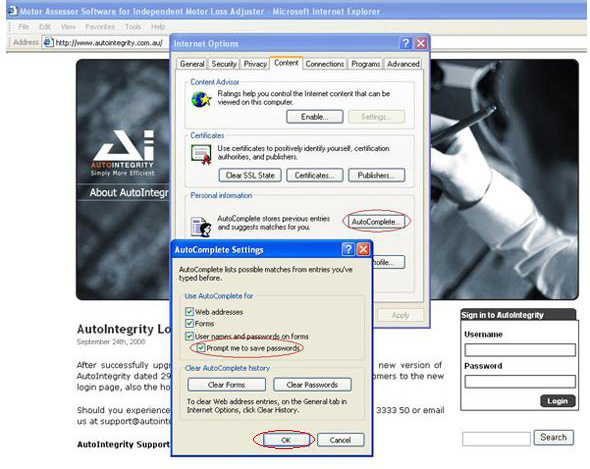
1. Open Internet Explorer 2. Select Tools then choose Internet Options 3. Open Content tab and click on AutoComplete button. 4. Check on box “Prompt me to save password” 5. …
1. Open Internet Explorer 2. Select Tools then choose Internet Options 3. Open Content tab and click on AutoComplete button. 4. Check on box “Prompt me to save password” 5. …